Polycarbonate 3D printing requires a compatible printer, dry filament and grade-specific process validation before approving functional parts.
Sợi polycarbonate (PC) là gì?
In 3D bằng sợi PC là bước tiếp theo khi PLA, PETG và ABS không còn đáp ứng được các yêu cầu về độ bền hoặc khả năng chịu nhiệt của bạn. Sợi in 3D polycarbonate (PC) là một trong những loại nhựa nhiệt dẻo có độ bền cao nhất và khả năng chống va đập tốt nhất hiện có cho in 3D trên máy in để bàn. Nếu bạn đã từng làm việc với ABS hoặc PETG và mong muốn có độ bền cao hơn, khả năng chịu nhiệt tốt hơn hoặc độ trong suốt quang học cao hơn, thì PC chính là lựa chọn hợp lý tiếp theo.
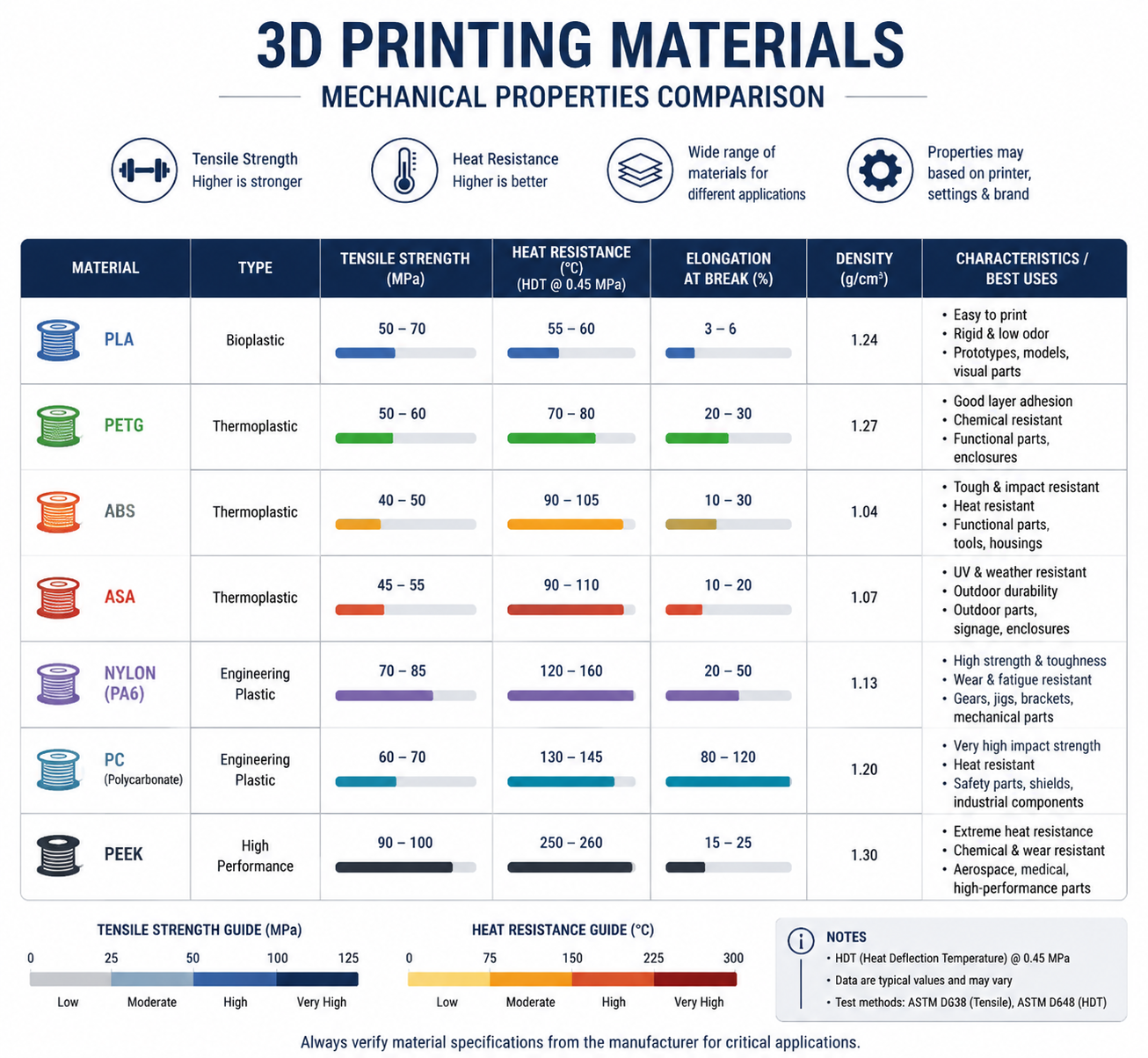
Sợi PC là cầu nối giữa các vật liệu dành cho người tiêu dùng như PLA và PETG với các loại nhựa kỹ thuật cấp công nghiệp như PEEK và PEI. Loại sợi này mang lại sự kết hợp độc đáo về các tính chất: khả năng chống va đập cực cao (lên đến 200 lần so với thủy tinh), độ bền kéo cao (55–75 MPa), nhiệt độ chuyển pha thủy tinh khoảng 147°C và độ trong suốt tự nhiên mà ít loại sợi in 3D nào khác có thể sánh kịp. Nếu bạn đang xem xét nâng cấp lên cấp độ nhiệt cao hơn, sản phẩm của chúng tôi Hướng dẫn sử dụng sợi PEEK và so sánh giữa Các máy in 3D tốt nhất dành cho vật liệu kỹ thuật giúp xác định ranh giới giữa các hệ thống máy tính cá nhân (PC) và các hệ thống chịu nhiệt độ cao thực sự.
Nếu vấn đề trước mắt của bạn là điều chỉnh chính xác vòi phun, bề mặt in và cửa sổ buồng in, hãy sử dụng sản phẩm riêng biệt của chúng tôi Hướng dẫn về nhiệt độ in trên máy tính cá nhân cùng với phần tổng quan rộng hơn về tài liệu này.
Đối với các đội ngũ mua sắm và kỹ sư sản phẩm, quyết định quan trọng là liệu các bạn có cần một chiếc PC thuần túy hay một thiết bị dễ xử lý hơn Hỗn hợp PC-ABS, hoặc loại có chất độn như PC-CF. Lựa chọn phù hợp phụ thuộc vào khả năng chịu nhiệt, yêu cầu về khả năng chịu va đập, khả năng lắp ráp vỏ bảo vệ và mức độ biến dạng có thể chấp nhận được. Nếu nhiệm vụ trước mắt của bạn là tinh chỉnh phạm vi quy trình, hãy chuyển sang phần Hướng dẫn về nhiệt độ in trên máy tính cá nhân để có câu trả lời tập trung vào việc thiết lập nhanh hơn.
Tại Nylon Plastic, chúng tôi cung cấp sợi PC cấp kỹ thuật cùng với dòng sản phẩm đa dạng gồm các loại nylon và vật liệu hiệu suất cao, giúp các nhà sản xuất và những người đam mê công nghệ tiên tiến vượt qua những giới hạn của công nghệ in 3D trên máy in để bàn.
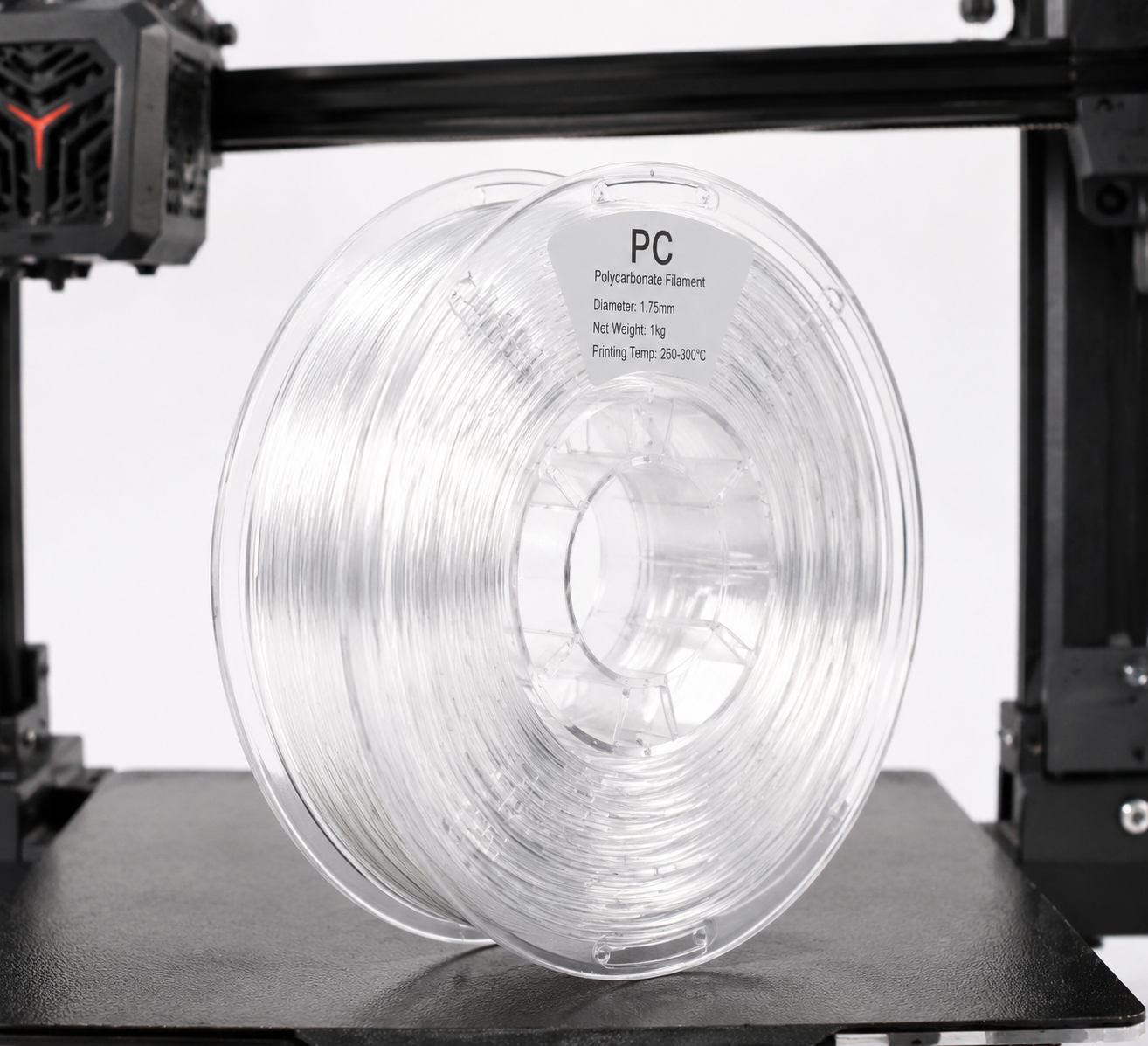
Tổng quan về các tính chất của sợi in 3D
| Tài sản | Polycarbonate (PC) | ABS (để tham khảo) | PETG (để tham khảo) |
|---|---|---|---|
| Độ bền kéo | 55–75 MPa | 35–45 MPa | 45–55 MPa |
| Hệ số uốn | 2.200–2.500 MPa | 1.700–2.100 MPa | 1.500–2.000 MPa |
| Độ bền va đập (Izod) | 600–900 J/m | 150–300 J/m | 70–100 J/m |
| Nhiệt độ chuyển pha thủy tinh (Tg) | 147°C | 105°C | 80°C |
| Nhiệt độ biến dạng nhiệt (HDT @ 0,45 MPa) | 130–140°C | 90–100 °C | 68–70°C |
| Độ đặc | 1,20 g/cm³ | 1,04 g/cm³ | 1,27 g/cm³ |
| Độ trong suốt quang học | Trong suốt (tự nhiên) | Không trong suốt | Mờ đến trong suốt |
| Khả năng chống tia UV | Trung bình (thêm chất ổn định tia UV) | Kém (nhanh bị vàng) | Tốt |
Điểm nổi bật của sợi in 3D PC chính là khả năng chống va đập. Với độ bền va đập Izod từ 600–900 J/m, vật liệu này hấp thụ va đập và tải trọng đột ngột tốt hơn nhiều so với PLA, PETG hay thậm chí là ABS. Đây chính là lý do tại sao polycarbonate là vật liệu được ưa chuộng cho kính bảo hộ, kính chống đạn và vỏ bảo vệ thiết bị điện — đồng thời cũng là lý do tại sao nó tạo ra các bộ phận chức năng in 3D với chất lượng vượt trội.
Thông số kỹ thuật máy in bắt buộc cho sợi in 3D dành cho máy tính cá nhân
Không phải máy in 3D nào cũng có thể in sợi PC. Trước khi mua một cuộn sợi, hãy đảm bảo thiết bị của bạn đáp ứng các yêu cầu tối thiểu sau:
Nhiệt độ đầu in: 260–310°C
Sợi in PC được in ở nhiệt độ 260–310°C tùy thuộc vào thương hiệu và công thức cụ thể. Điều này có nghĩa là đầu in của bạn phải có bộ cách nhiệt hoàn toàn bằng kim loại — các đầu in có lớp lót PTFE sẽ bị phân hủy nhanh chóng khi nhiệt độ vượt quá 240°C và giải phóng khói độc hại. Nếu máy in của bạn được trang bị đầu in có lớp lót PTFE theo tiêu chuẩn (thường thấy trên các máy in cấp cơ bản như Ender 3), bạn sẽ cần nâng cấp lên đầu in hoàn toàn bằng kim loại trước khi in sợi PC.
Giường sưởi: 90–120°C
Một khay gia nhiệt có khả năng duy trì nhiệt độ từ 90–120°C là yếu tố thiết yếu để đảm bảo độ bám dính của vật liệu in 3D và ngăn ngừa hiện tượng cong vênh. Nhiều máy in giá rẻ chỉ đạt nhiệt độ tối đa 100°C trên khay, mức này có thể phù hợp với các mô hình in 3D nhỏ nhưng có thể không đủ cho các chi tiết lớn hơn. Nên sử dụng buồng in kín để duy trì nhiệt độ môi trường và giảm thiểu hiện tượng cong vênh.
Phụ lục: Rất khuyến khích
Sợi in 3D (PC filament) dễ bị cong vênh nghiêm trọng nếu không có môi trường nhiệt độ ổn định. Một vỏ bọc giúp duy trì nhiệt độ môi trường ổn định và ngăn chặn luồng gió gây ra hiện tượng bong tróc lớp in. Nếu máy in của bạn không có buồng in tích hợp sẵn, một buồng in tự chế (hộp các-tông, lều chụp ảnh hoặc buồng in làm từ bàn Lack của IKEA) có thể tạm thời giải quyết vấn đề, nhưng hãy cố gắng duy trì nhiệt độ môi trường bên trong buồng in ở mức ít nhất 45–60°C. Nếu hiện tượng bong góc và ứng suất co ngót là những vấn đề thường xuyên xảy ra, sản phẩm của chúng tôi Hướng dẫn khắc phục hiện tượng cong vênh khi in 3D đi sâu hơn vào chiến lược quản lý nhiệt.
Bề mặt lắp đặt: PEI, Garolite hoặc chất kết dính chuyên dụng cho PC
Vật liệu PC bám dính tốt trên các tấm thép lò xo được phủ PEI ở nhiệt độ 100–110°C. Garolite (G10/FR4) là một bề mặt tuyệt vời khác — hãy bôi một lớp mỏng keo PVA dạng que làm chất tách khuôn. Kính được bôi keo dạng que cũng có thể sử dụng được nhưng tỷ lệ hỏng hóc cao hơn đối với các chi tiết có kích thước lớn. Tránh in PC trực tiếp lên kính trần hoặc các bề mặt kiểu BuildTak, vì độ bám dính mạnh có thể làm hỏng cả chi tiết và khay in khi tháo gỡ.
Chất liệu vòi phun: Thép tôi cứng (được khuyến nghị)
Sợi PC nguyên chất không có tính mài mòn, do đó vòi phun bằng đồng thau tiêu chuẩn vẫn hoạt động tốt. Tuy nhiên, nhiều loại PC pha trộn — đặc biệt là PC-CF (tăng cường sợi carbon) và PC-GF (tăng cường sợi thủy tinh) — có tính mài mòn rất cao. Nếu bạn dự định in các biến thể PC có chất độn, hãy nâng cấp lên vòi phun bằng thép tôi cứng hoặc vòi phun có đầu ruby.
| Yêu cầu | Tối thiểu | Được khuyến nghị |
|---|---|---|
| Nhiệt độ đầu in | 260°C | 280–300 °C |
| Nhiệt độ giường | 90°C | 100–110°C |
| Loại đầu in | Hoàn toàn bằng kim loại | Toàn bộ bằng kim loại + vòi phun được gia cố |
| Phụ lục | Vỏ máy tự làm (hộp các-tông) | Buồng sưởi (45–60°C) |
| Bề mặt xây dựng | PEI + keo dán dạng que | Garolite (G10) kết hợp với PVA |
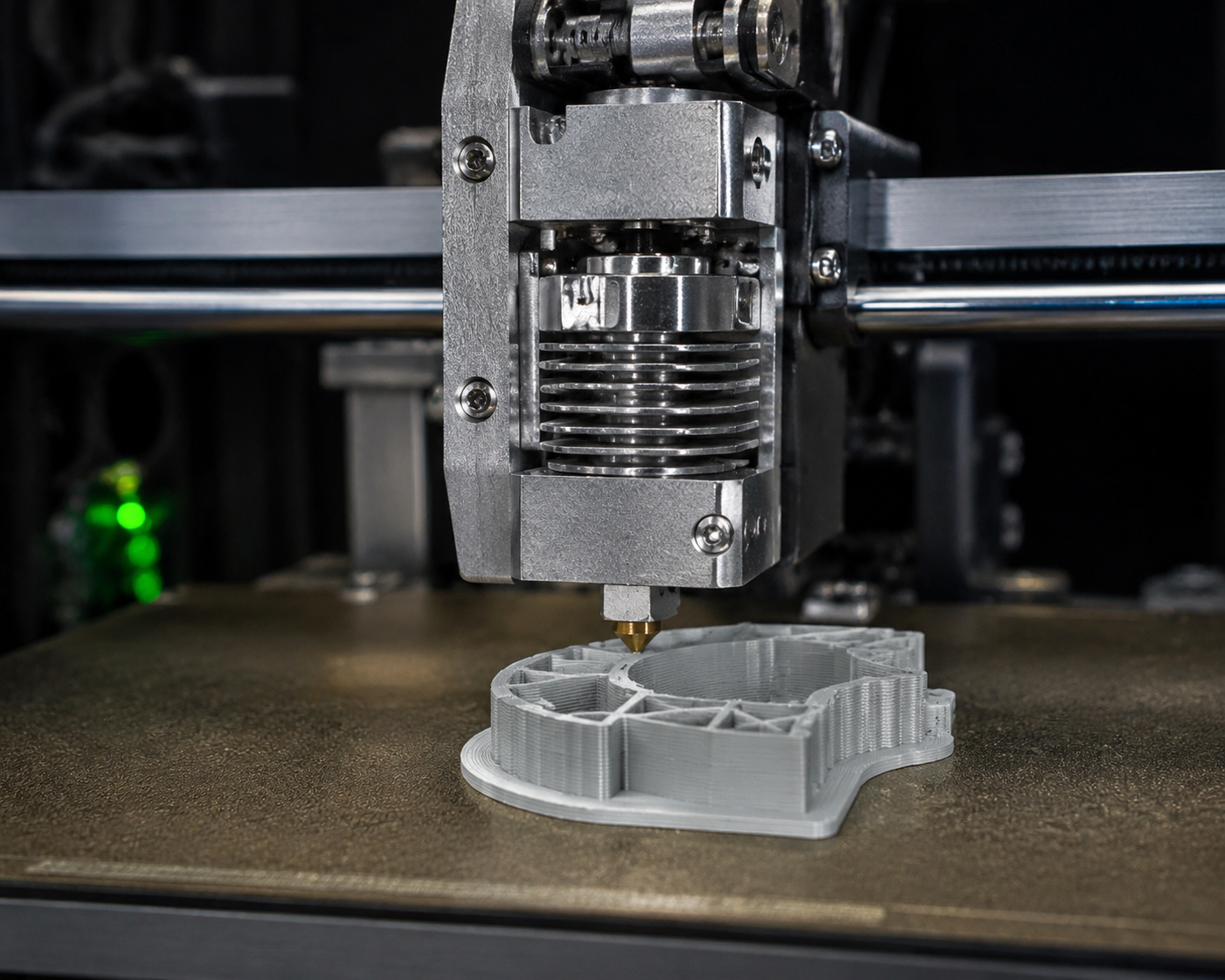
Cài đặt in sợi nhựa cho máy in 3D: Hướng dẫn thực hành
Nhiệt độ vòi phun: Bắt đầu ở 270°C
Hầu hết các loại sợi in 3D PC đều cho chất lượng in tốt trong khoảng nhiệt độ từ 260°C đến 310°C. Hãy bắt đầu ở 270°C cho lần in thử đầu tiên và in một "tháp nhiệt độ" để điều chỉnh cài đặt tối ưu cho thương hiệu sợi in cụ thể của bạn. Nhiệt độ cao hơn giúp cải thiện độ bám dính giữa các lớp nhưng làm tăng hiện tượng chảy nhựa và sợi kéo; nhiệt độ thấp hơn giảm hiện tượng sợi kéo nhưng có nguy cơ làm giảm độ bám dính giữa các lớp.
Các dấu hiệu cho thấy nhiệt độ quá thấp: độ bám dính lớp kém, hiện tượng bong tróc trong quá trình in, hoặc bề mặt có độ bóng mờ/xỉn màu. Các dấu hiệu cho thấy nhiệt độ quá cao: hiện tượng kéo sợi quá mức, nổi bọt, ngả vàng/cháy xém, hoặc cặn bám trên vòi phun bị than hóa.
Nhiệt độ giường: 100–110°C
Đặt nhiệt độ bàn in ở 100°C cho lớp đầu tiên, sau đó giảm xuống 90–100°C cho phần còn lại của quá trình in. Đối với các chi tiết có kích thước lớn (bất kỳ chiều nào cũng trên 150 mm), hãy duy trì nhiệt độ 110°C trong suốt quá trình in để tối đa hóa độ bám dính và giảm hiện tượng cong vênh.
Tốc độ in: Giảm tốc độ
Sợi PC cho chất lượng in tốt nhất ở tốc độ chậm hơn: 30–50 mm/s cho các đường viền và 40–60 mm/s cho phần lấp đầy. Lớp đầu tiên nên được in chậm hơn nữa — 20–25 mm/s và không sử dụng quạt làm mát. Khác với PLA, vốn cần làm mát mạnh để đạt hiệu quả tốt, sợi PC cần thời gian để mỗi lớp kết dính đúng cách với lớp bên dưới.
Quạt làm mát: Tắt hoặc ở mức rất thấp
Tắt quạt làm mát chi tiết trong 3–5 lớp đầu tiên, sau đó chỉ bật quạt ở mức tối đa 20–30% khi thực sự cần thiết để in các đoạn cầu nối và phần nhô ra. Làm mát quá mức là nguyên nhân hàng đầu gây ra hiện tượng cong vênh và bong tróc lớp khi in bằng PC — hãy tưởng tượng nó giống như việc in ABS nhưng với khả năng chịu nhiệt kém hơn nữa.
Cài đặt thu hồi
PC ít bị hiện tượng kéo sợi hơn PETG, nhưng vẫn cần thực hiện thao tác rút sợi đúng cách. Đối với máy đùn truyền động trực tiếp: khoảng cách rút sợi 1–2 mm ở tốc độ 30–40 mm/s. Đối với hệ thống Bowden: khoảng cách rút sợi 4–6 mm ở tốc độ 40–50 mm/s. Nếu thấy hiện tượng sợi kéo dài, hãy tăng khoảng cách rút sợi trước khi điều chỉnh nhiệt độ.
Quá trình sấy khô: Hoàn toàn cần thiết
Sợi PC có tính hút ẩm vừa phải — nó hấp thụ độ ẩm từ không khí, và sợi PC ẩm sẽ cho chất lượng in rất kém. Các hiện tượng như bong bóng, tiếng nổ từ vòi phun, độ bám dính giữa các lớp kém và bề mặt in thô ráp đều là dấu hiệu cho thấy sợi PC bị ẩm. Hãy sấy khô sợi PC ở nhiệt độ 80–100°C trong 4–6 giờ trước khi in, và bảo quản sợi trong hộp kín có chất hút ẩm. Nếu có thể, hãy in trực tiếp từ máy sấy sợi. Sản phẩm của chúng tôi Hướng dẫn sấy khô vải nylon cũng là một tài liệu tham khảo hữu ích trong trường hợp này vì nguyên tắc bảo quản trong bao bì kín này cũng áp dụng cho các loại sợi kỹ thuật hút ẩm khác.
| Cài đặt | Giá trị ban đầu | Ghi chú |
|---|---|---|
| Nhiệt độ vòi phun | 270°C | In mô hình tháp nhiệt độ để tinh chỉnh |
| Nhiệt độ giường | 100°C (lớp đầu tiên: 110°C) | Duy trì nhiệt độ 110°C đối với các chi tiết có kích thước lớn |
| Tốc độ in | 40 mm/s | Lớp đầu tiên với tốc độ 25 mm/s |
| Quạt làm mát | 0–20% | Không cần trong 3–5 lớp đầu tiên; sau đó chỉ cần một lượng tối thiểu |
| Quá trình rút lại (Truyền động trực tiếp) | 1,5 mm @ 35 mm/s | Ống Bowden: 5 mm @ 45 mm/s |
| Sấy khô | 80–100°C trong 4–6 giờ | Bảo quản trong hộp kín có chất hút ẩm |
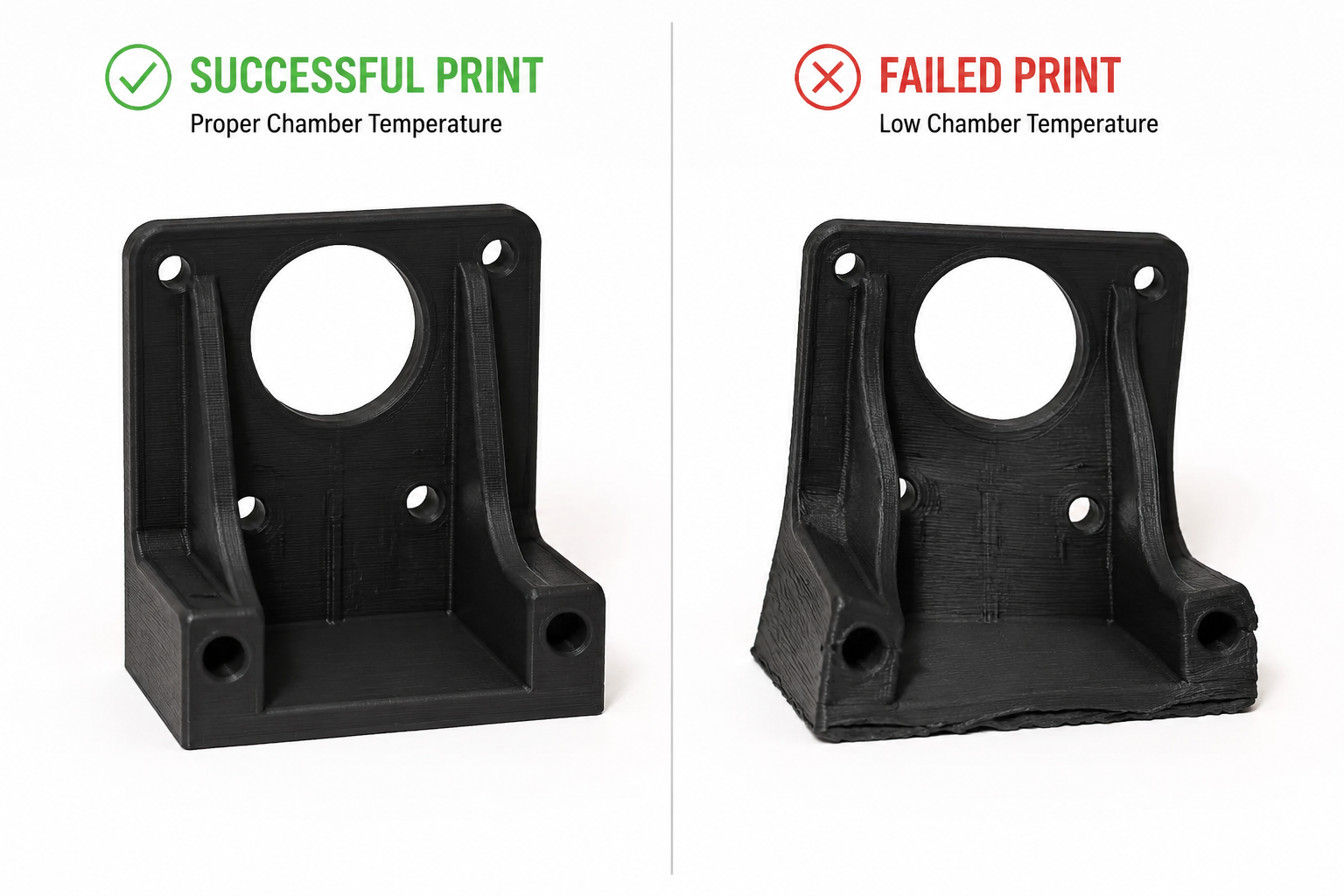
Các sự cố thường gặp với sợi in 3D dành cho máy in PC và cách khắc phục
Biến dạng và Nâng
Nguyên nhân: Độ bám dính với bề mặt in không đủ hoặc nhiệt độ môi trường dao động. Vật liệu PC có hệ số giãn nở nhiệt tương đối cao, nghĩa là nó sẽ co lại đáng kể khi nguội đi.
Giải pháp: Tăng nhiệt độ bàn in lên 110°C, sử dụng buồng kín, thêm viền 10 mm và bôi một lớp mỏng keo PVA dạng que lên bàn in. Đối với hiện tượng cong vênh khó khắc phục trên các chi tiết lớn, hãy sử dụng tính năng chắn gió (có sẵn dưới dạng cài đặt trong hầu hết các phần mềm cắt lát) để giữ nhiệt xung quanh bản in.
Layer Delamination (Splitting Between Layers)
Nguyên nhân: Printing temperature too low or cooling fan running too aggressively. The layers cool before properly fusing with the previous layer.
Giải pháp: Increase nozzle temperature by 5–10°C, turn off part cooling completely, reduce print speed by 10–15 mm/s, and ensure the enclosure is maintaining stable ambient temperature.
Moisture-Related Defects (Bubbles, Popping, Rough Surface)
Nguyên nhân: Wet filament. PC absorbs moisture from ambient air within 24–48 hours of exposure.
Giải pháp: Dry filament at 80–100°C for 4–6 hours. Print directly from a filament dryer running at 70°C. Store unused filament in a vacuum-sealed bag with fresh desiccant.
Hiện tượng sợi kéo dài và rỉ ra
Nguyên nhân: Temperature too high, retraction insufficient, or wet filament.
Giải pháp: Lower nozzle temperature by 5°C increments, increase retraction distance by 0.5mm, and ensure filament is properly dried. PC is less stringy than PETG but still needs tuning.
PC Filament Variants: PC-ABS, PC-CF, PC-GF, and More
Pure PC filament is excellent, but several PC-based blends expand its capabilities:
Hỗn hợp PC-ABS
PC-ABS blends combine polycarbonate’s heat resistance and impact strength with ABS’s improved printability and lower cost. Typical printing temperature: 250–270°C, bed: 100–110°C. PC-ABS is easier to print than pure PC (less warping) while retaining most of the mechanical benefits. Common applications include automotive interior parts and consumer electronics housings.
PC-CF (Carbon Fiber Filled)
Adding 10–20% carbon fiber to PC dramatically increases stiffness (flexural modulus can exceed 6,000 MPa) and reduces warping by lowering the coefficient of thermal expansion. Trade-offs: the filament becomes brittle (lower impact strength), highly abrasive (requires hardened nozzle), and loses transparency (becomes black/matte). PC-CF is ideal for structural brackets, drone frames, and jigs and fixtures where stiffness matters more than impact resistance.
PC-GF (Glass Fiber Filled)
Glass fiber-filled PC offers stiffness improvements similar to PC-CF but at a lower cost and with better impact resistance retention. PC-GF is also abrasive, so a hardened nozzle is required. It is commonly used for industrial tooling, functional prototypes, and parts requiring dimensional stability at elevated temperatures.
PC-PBT and PC-PET Blends
Less common but notable: PC-PBT blends offer improved chemical resistance over pure PC, while PC-PET blends combine PC’s strength with PET’s ease of printing. These are specialty materials for specific applications like chemical-resistant enclosures and food-contact components (subject to FDA compliance verification).
| Biến thể | Lợi thế chính | Trade-off | Đầu phun |
|---|---|---|---|
| Pure PC | Transparency, impact resistance | Warping, high temp required | Brass OK |
| PC-ABS | Easier to print, lower cost | Slightly lower heat resistance | Brass OK |
| PC-CF | Extreme stiffness, low warping | Brittle, abrasive, opaque | Hardened steel required |
| PC-GF | Good stiffness, lower cost | Abrasive, opaque | Hardened steel required |
| PC-PBT | Khả năng chịu hóa chất | Less common, harder to source | Brass OK |
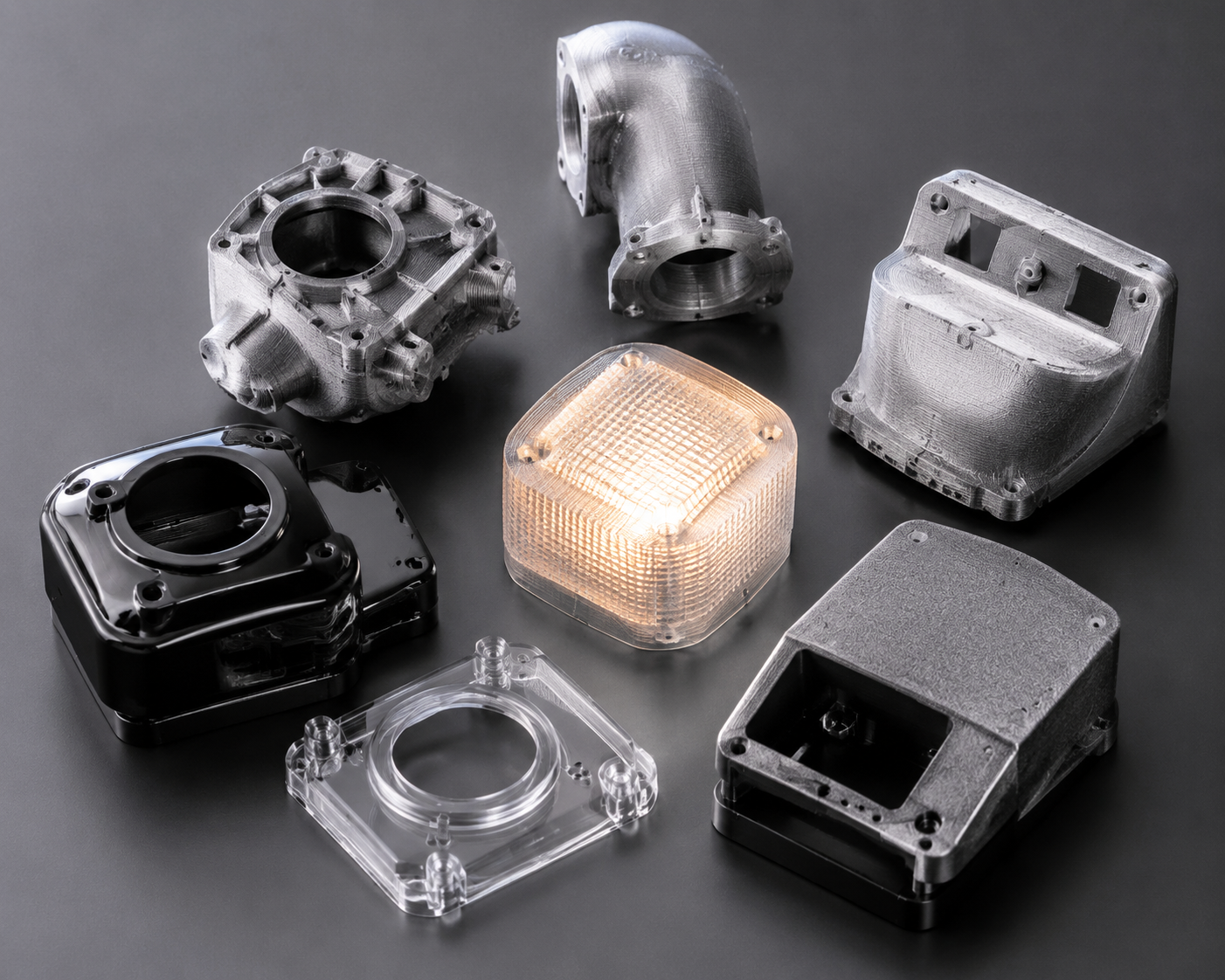
PC vs Other High-Temperature Filaments: When Does PC Win?
PC filament sits in a sweet spot between mid-range materials (ABS, PETG) and ultra-premium filaments (PEEK, PEI). Here is how it compares:
| Chất liệu | Print Temp | Tg / HDT | Cost per kg | Phù hợp nhất cho |
|---|---|---|---|---|
| Máy tính cá nhân | 260–310°C | 147°C / 138°C | $35–60 | Impact-resistant functional parts, transparent prototypes |
| ABS | 230–260 °C | 105°C / 98°C | $15–25 | Budget enclosures, general prototyping |
| ASA | 240–260°C | 105°C / 95°C | $25–40 | Outdoor parts needing UV resistance |
| Nylon (PA6) | 250–280°C | 50–60°C / 160°C | $30–50 | Wear parts, gears, flexible components |
| PEI (Ultem) | 350–390°C | 217°C / 200°C | $150–250 | Aerospace, medical, extreme environments |
| PEEK | 360–410°C | 143°C / 250°C+ | $400–800 | Highest-performance applications |
Choose PC when: you need impact resistance that ABS cannot deliver, transparency that nylon cannot provide, or heat resistance that PETG cannot handle — và your printer can maintain the required temperatures with an enclosure.
Skip PC when: your printer lacks an all-metal hotend and enclosure, you need maximum chemical resistance (use nylon or PEI), or you are printing flexible parts (use TPU or nylon instead).
Best PC Filament Brands in 2026
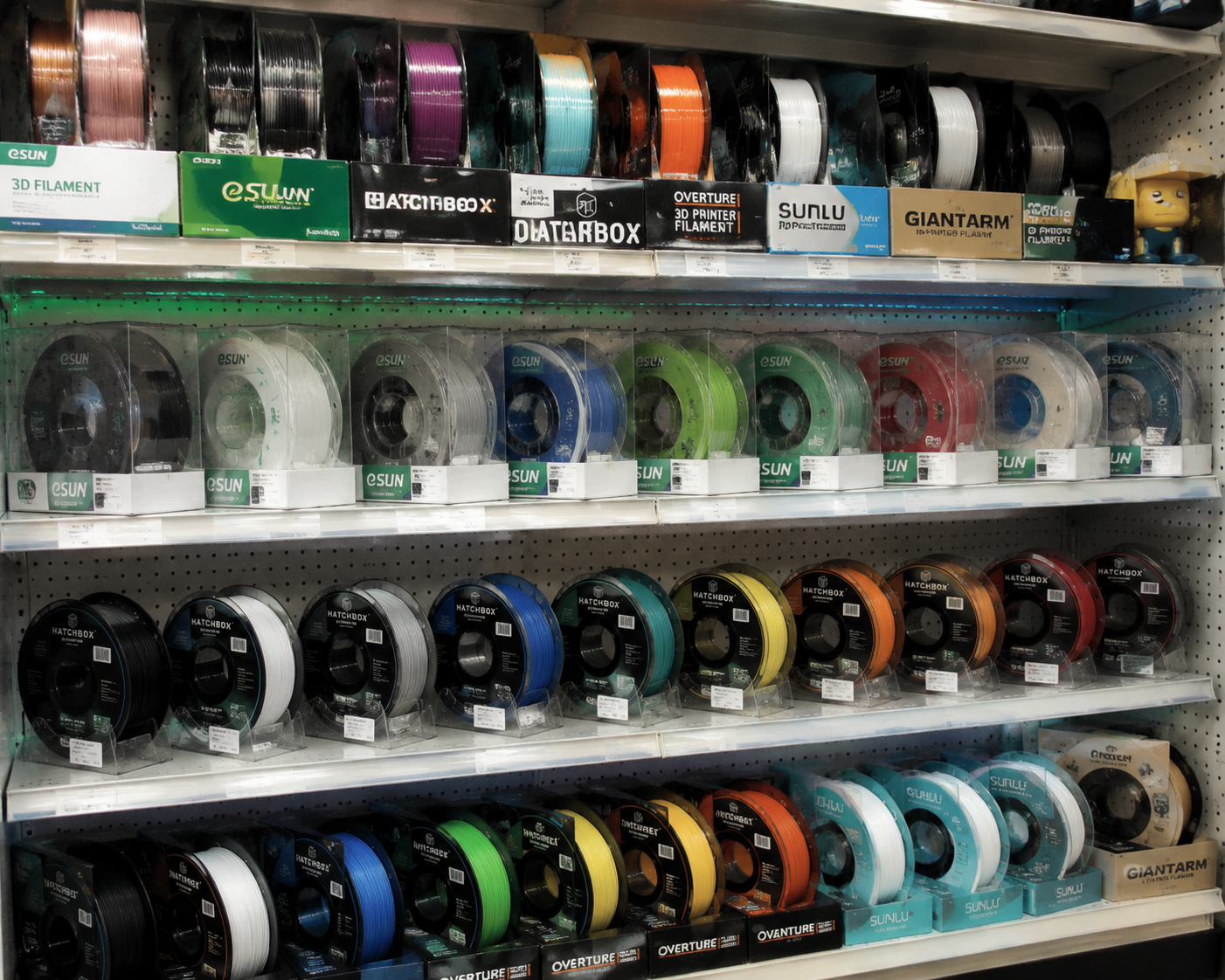
Several manufacturers produce reliable PC filament. Based on community testing and practical experience:
- Prusament PC Blend — Prusa’s in-house PC blend prints at 260–280°C with excellent consistency and is among the easiest PC filaments to print on properly equipped machines.
- Polymaker PolyMax PC — Known for exceptional layer adhesion and impact resistance; prints at 250–270°C with good bed adhesion on PEI.
- 3DXTech PC — Industrial-grade PC and PC blends (PC-CF, PC-GF) made in the USA with tight diameter tolerances; typically requires 280–310°C.
- eSUN ePC — A more affordable option that prints at 250–270°C, suitable for users transitioning from ABS/PETG to PC. Slightly lower heat resistance than premium brands.
- Bambu Lab PC — Optimized for Bambu Lab enclosed printers with RFID spool recognition; prints reliably at 270–290°C.
When sourcing PC filament, prioritize consistent diameter (within ±0.03mm), proper vacuum-sealed packaging with desiccant, and a manufacturer that provides a detailed technical datasheet (TDS) with mechanical property data.
Safety Considerations When Printing PC Filament
PC filament printing produces fumes that, while less immediately toxic than ABS fumes, still warrant ventilation. Key safety practices:
- Print in a well-ventilated area or use an enclosure with a fume extraction system (HEPA + activated carbon filter).
- Avoid extended exposure to printing fumes in unventilated rooms — bisphenol A (BPA) is a component of polycarbonate, and while the risk from FDM printing is low compared to industrial processing, precaution is warranted.
- Do not burn or overheat PC filament beyond recommended temperatures — thermal decomposition starts around 350°C and produces potentially harmful compounds.
- Wear heat-resistant gloves when handling PC prints fresh off the bed — the bed operates at 100°C+ and the part itself can cause burns.
Conclusion: Is PC Filament Right for Your 3D Printing Projects?
PC filament is not for beginners. It demands an all-metal hotend, a heated bed capable of 100°C+, an enclosure, and careful attention to print settings and filament drying. But for users who can meet these requirements, PC delivers a combination of impact strength, heat resistance, and optical clarity that no other sub-$100/kg filament can match.
For professional applications — functional prototypes, jigs and fixtures, electrical enclosures, automotive under-hood components, and transparent mechanical parts — PC filament is often the best material available on a desktop printer short of PEEK or PEI.
At Nylon Plastic, we supply engineering-grade PC filament alongside our full range of nylon (PA6, PA66, PA12), carbon fiber-filled, and glass fiber-filled materials for demanding 3D printing, CNC machining, and injection molding applications. If you need technical guidance on material selection or want to discuss your specific application requirements, our engineering team is available to help.
Special Techniques
Annealing PC Prints
Post-print heat treatment improves properties:
1. Place print in oven at 120°C
2. Hold for 30-60 minutes
3. Cool slowly in oven
4. Expect slight dimensional change
Bonding PC Parts
- Solvent welding: Methylene chloride (effective but toxic)
- Epoxy: Works well for most applications
- Friction welding: Creates strong bonds