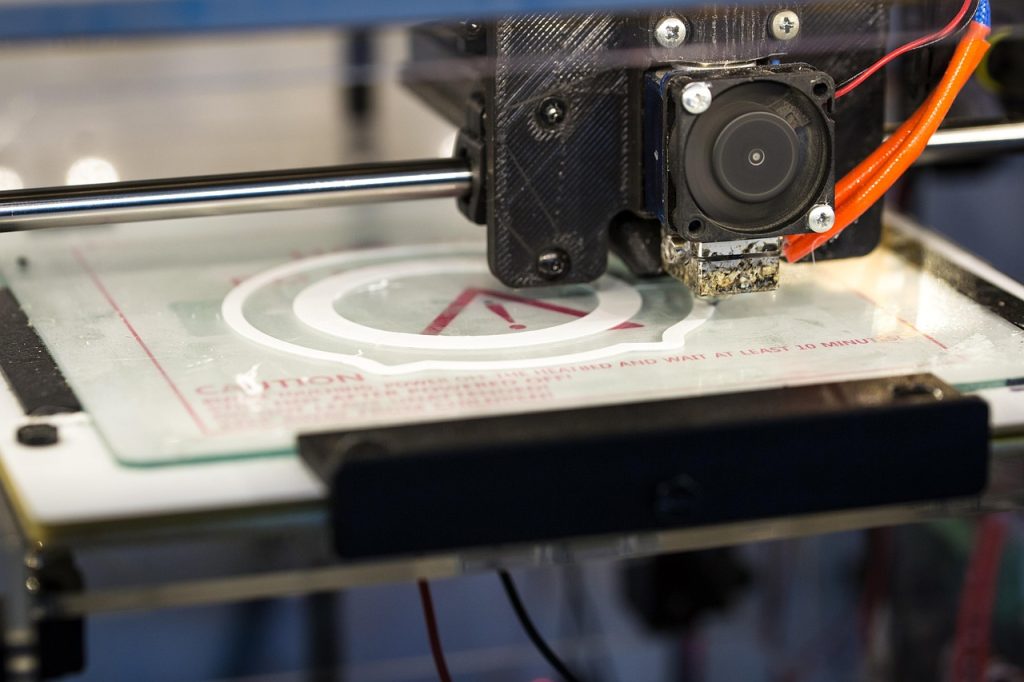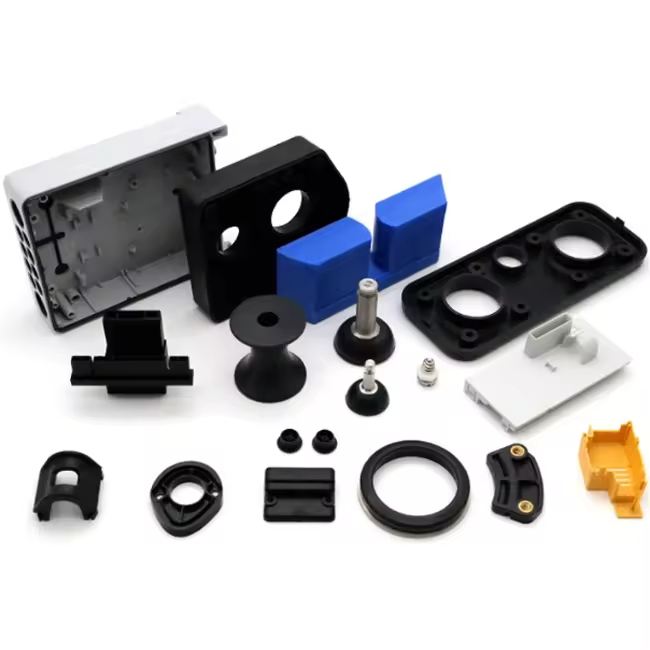
The best 3D printer for engineering materials depends on chamber temperature, hotend capability, and process stability. You have been printing PLA and PETG for years. Your parts work. But now you need to print PEEK at 400°C, or carbon-fiber-filled PPS that demands a 200°C chamber, or PEI (Ultem) for a certified aerospace application. You start shopping for an “engineering printer” — and immediately discover that the term is used to describe everything from a $600 enclosed desktop machine to a $25,000 industrial workhorse with active chamber heating. The gap between marketing and engineering reality is vast, and it is expensive to cross in the wrong direction.
This guide cuts through the noise. We classify engineering printers by what they can actually deliver — not by what their spec sheets claim — and provide a structured comparison of the machines that genuinely print high-performance thermoplastics with repeatable results. Whether you are specifying equipment for a production cell, building an R&D lab, or upgrading from a desktop setup, this is the decision framework you need.
What Actually Makes a Printer “Engineering-Grade”
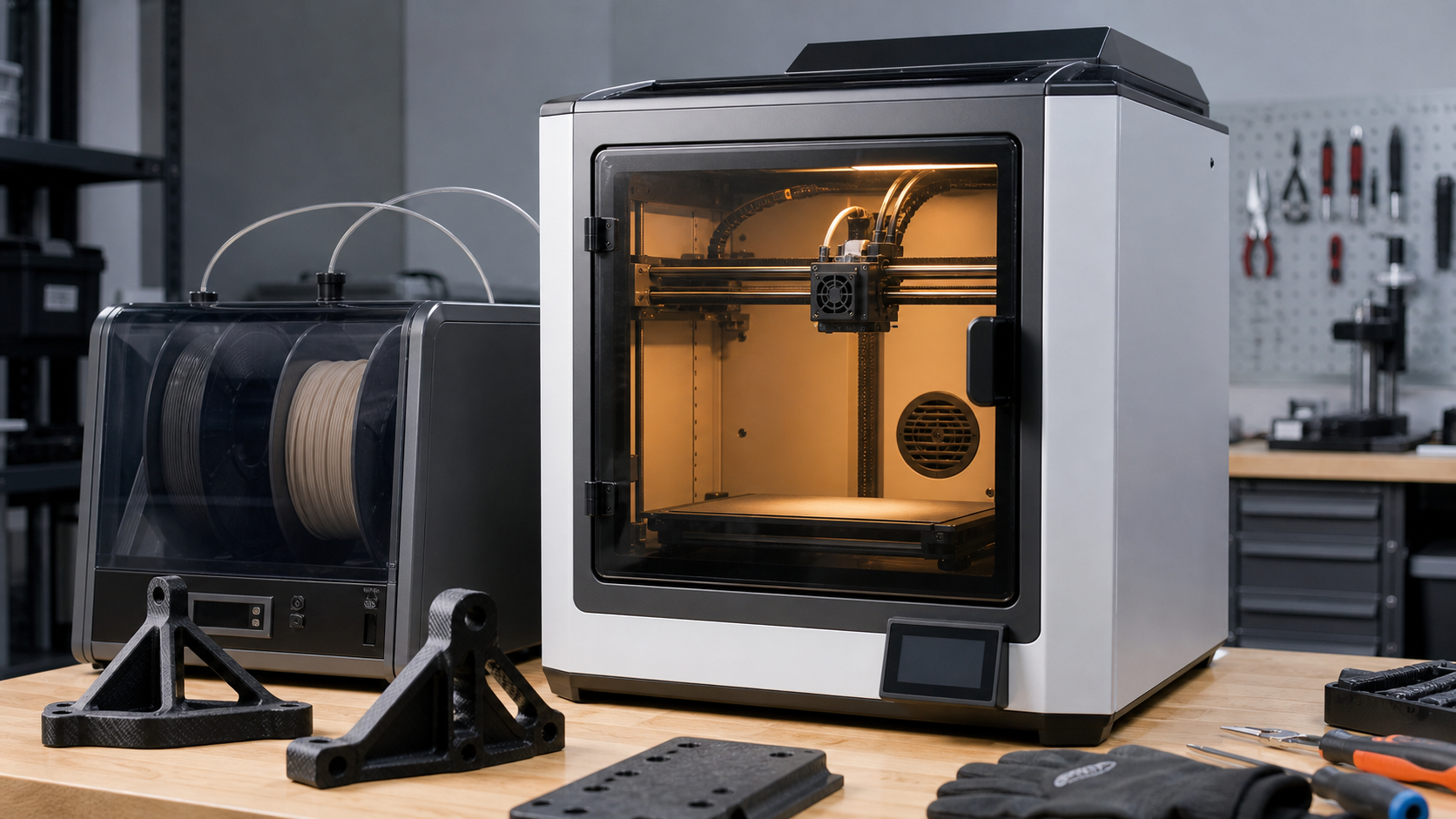
Every enclosed printer on the market now calls itself “engineering-grade.” The term has been diluted to the point of meaninglessness. Here is what actually matters.
The Three Hard Gates
If a printer cannot meet all three of these thresholds, it is not an engineering printer — regardless of what the marketing materials say. These are physics constraints, not opinions.
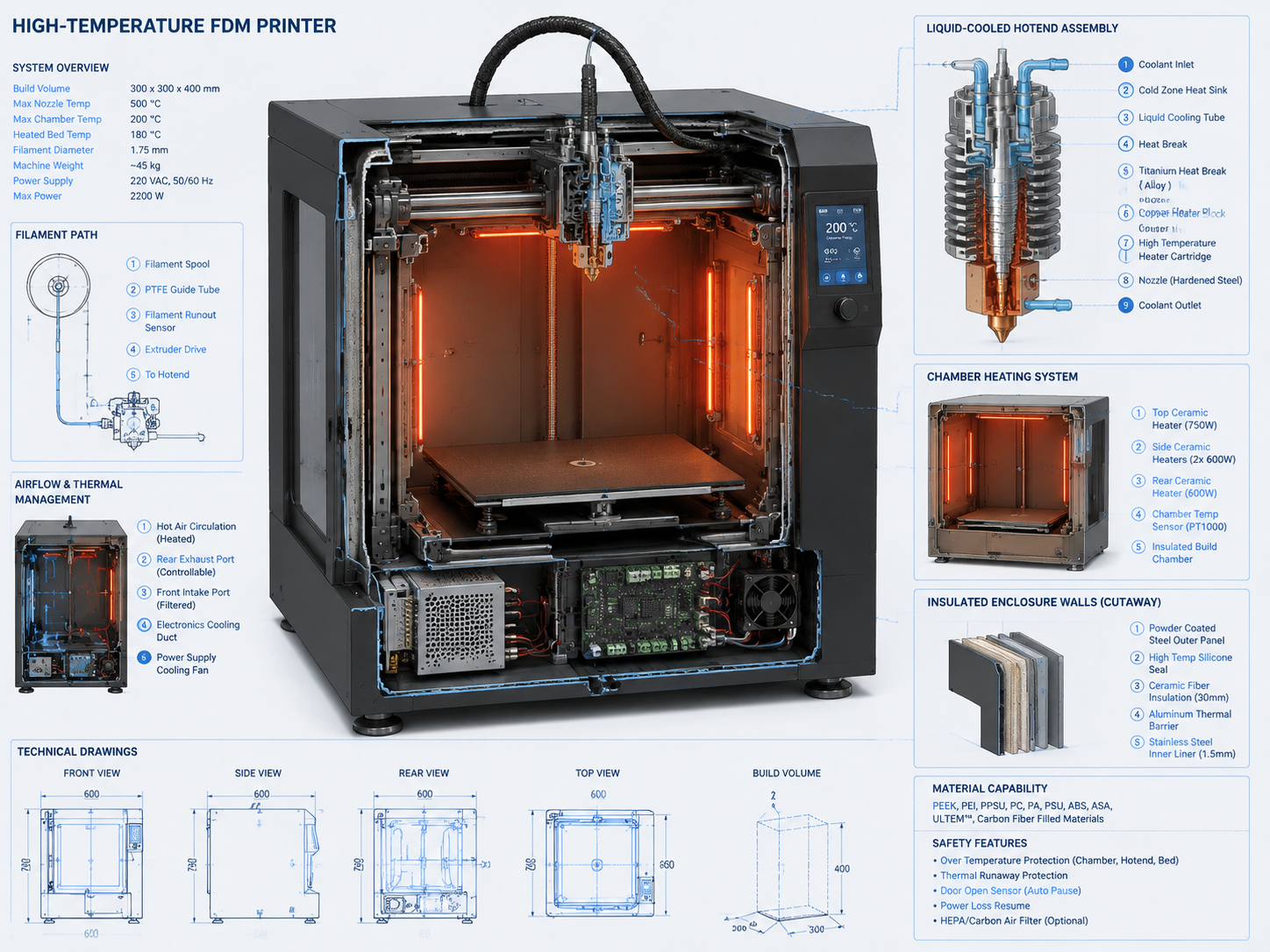
Gate 1: Hotend Temperature ≥ 350°C. PEEK requires 400°C minimum; PEI (Ultem) needs 370-400°C; PPS needs 320-345°C. A printer that tops out at 300°C can print polycarbonate and filled nylons, but it cannot access the high-temperature polymer tier. This is not negotiable. PTFE-lined hotends are disqualified automatically — PTFE decomposes above 260°C, releasing hazardous fumes. The hotend must be all-metal, with a copper or tool-steel heater block, a high-temperature thermistor or thermocouple, and a hardened steel or ruby nozzle for abrasive filled materials. Our PEEK filament guide explains why these temperature thresholds are real process requirements, not marketing extras.
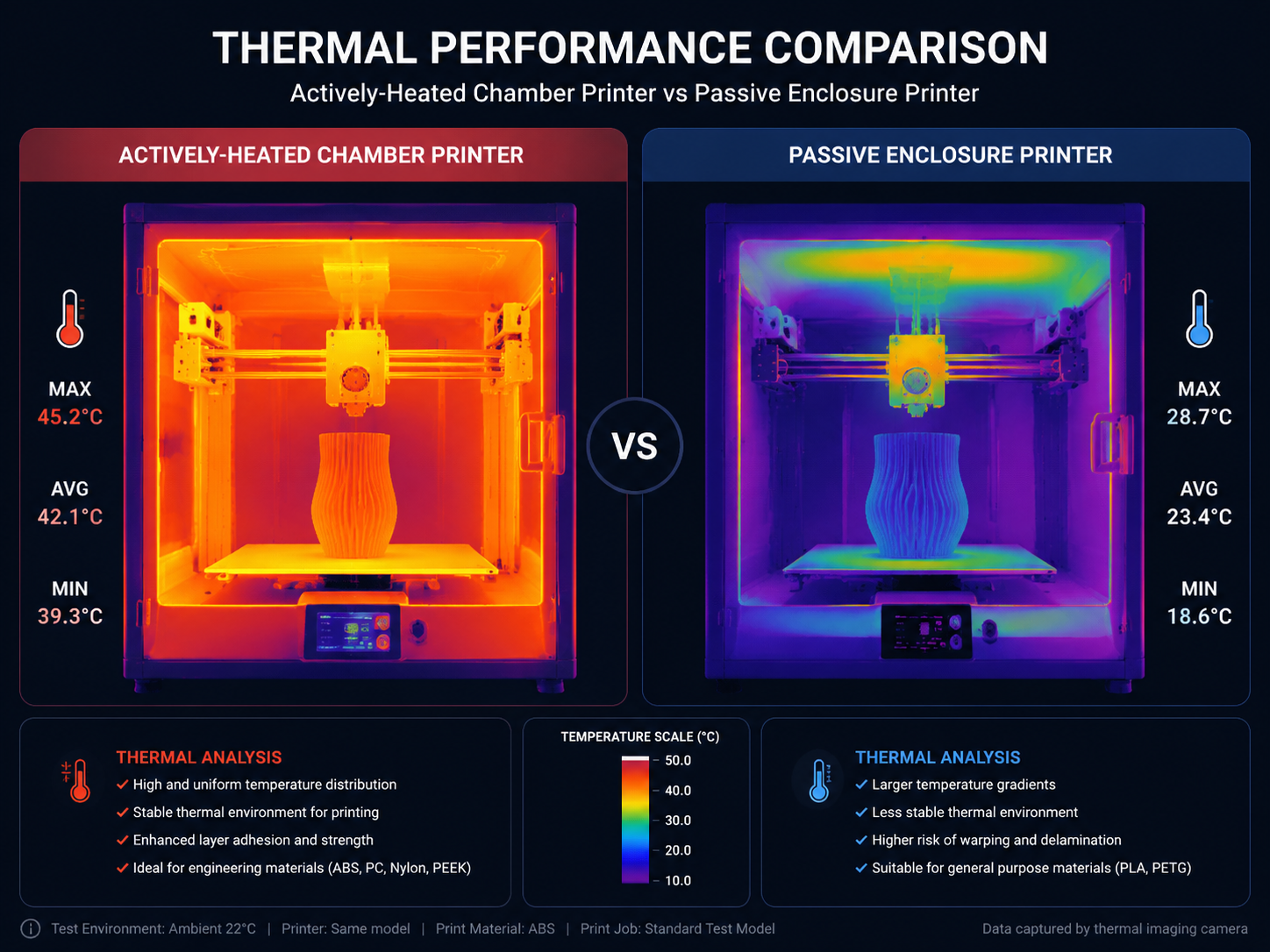
Gate 2: Actively Heated Chamber ≥ 120°C. This is where most “engineering” claims collapse. A passively heated chamber — one that relies on bed heat trapped by an enclosure — will struggle to reach 60-70°C and cannot maintain 90°C for ASA/ABS reliably. Engineering polymers that crystallize (PEEK, PPS, PAEK family) require 120-200°C ambient to control crystallinity and prevent warping. Without an active chamber heater and insulated enclosure walls, the part cools too rapidly at the surface, producing amorphous regions with reduced mechanical properties and dimensional instability. The chamber must be actively controlled, with a dedicated heating element independent of the bed.
Gate 3: Heated Bed ≥ 150°C. Bed adhesion for PEEK, PEI, and PPS demands surface temperatures of 150-200°C. A 100°C bed — standard on most enclosed desktop machines — simply cannot hold these materials. PEI in particular requires 160-200°C bed temperature. Below this threshold, first-layer adhesion fails, and even if you get a print started, differential cooling between the bed and chamber will delaminate the part within the first few millimeters of build height.
Beyond Temperature: The Secondary Gates
Meeting the three thermal gates qualifies a printer for consideration. But producing engineering parts that are fit for purpose requires more.
Heated Filament Dryer (Integrated or Active). PEEK, PEI, nylon, and polycarbonate absorb moisture from ambient air — not in days, but in hours. Nylon saturates in 24 hours at 50% RH. Printing wet engineering filament produces steam bubbles inside the melt, visible as surface pits, reduced interlayer adhesion, and strength losses of up to 40%. A printer without integrated drying capability forces you to pre-dry filament in a separate oven and transfer it to the printer under time pressure. Machines with active, heated dry boxes that feed directly into the extruder eliminate this variable. For nylon-heavy workflows, our nylon drying guide is the practical process reference to keep alongside printer specs.
Build Plate Material and Surface Chemistry. At 150-200°C, standard PEI (Ultem) build surfaces soften. Glass plates with adhesive work but introduce the variable of adhesive application consistency. The best engineering printers use proprietary high-temperature build plates — often PEEK or PEI-based themselves — with engineered surface treatments that provide adhesion at temperature and release upon cooling without chemical aids. FR4 (fiberglass-reinforced epoxy) plates are emerging as a cost-effective alternative for PEEK and PEI printing.
Motion System Rigidity at Temperature. Steel expands. At 120°C chamber temperature, a 300mm linear rail gains approximately 0.4mm in length. Belt tension changes. Bearing preload shifts. A printer that produces 50-micron accuracy at room temperature may produce 200-micron accuracy at full chamber heat if the frame and motion system were not designed for thermal expansion compensation. Industrial engineering printers use kinematic mounting, thermal isolation between heated and structural components, and materials with matched coefficients of thermal expansion.
Printer Tiers: Budget to Production
We organize the market into four tiers based on capability, not price. A $5,000 printer that cannot hold 120°C chamber temperature is not a Tier 2 machine — it is Tier 1 with an expensive enclosure.
| Tier | Hotend Max | Chamber Max | Vật liệu | Price Range |
|---|---|---|---|---|
| Tier 1: Prosumer | 300°C | Passive, ≤70°C | PLA, PETG, ABS, ASA, PA, PC | $600-$3,000 |
| Tier 2: Advanced Desktop | 300-350°C | Active, ≤100°C | + CF-filled PA/PC, PPS | $3,000-$8,000 |
| Tier 3: High-Temperature | 400-450°C | Active, 120-150°C | + PEEK, PEI (Ultem), PPSU | $8,000-$30,000 |
| Tier 4: Production/Industrial | 450-500°C | Active, 150-200°C | + PEKK, PPSU/PES, filled PEEK | $30,000-$200,000+ |
Tier 1: Prosumer Machines That Punch Above Their Weight
These printers cannot run PEEK or PEI. But for a significant portion of engineering work — functional prototyping in ABS, ASA, polycarbonate, and filled nylons — they deliver professional results at a fraction of the cost of higher-tier machines. Once part size grows, enclosure stability and thermal management still matter, so our 3D print warping guide is a useful companion for evaluating real-world capability.
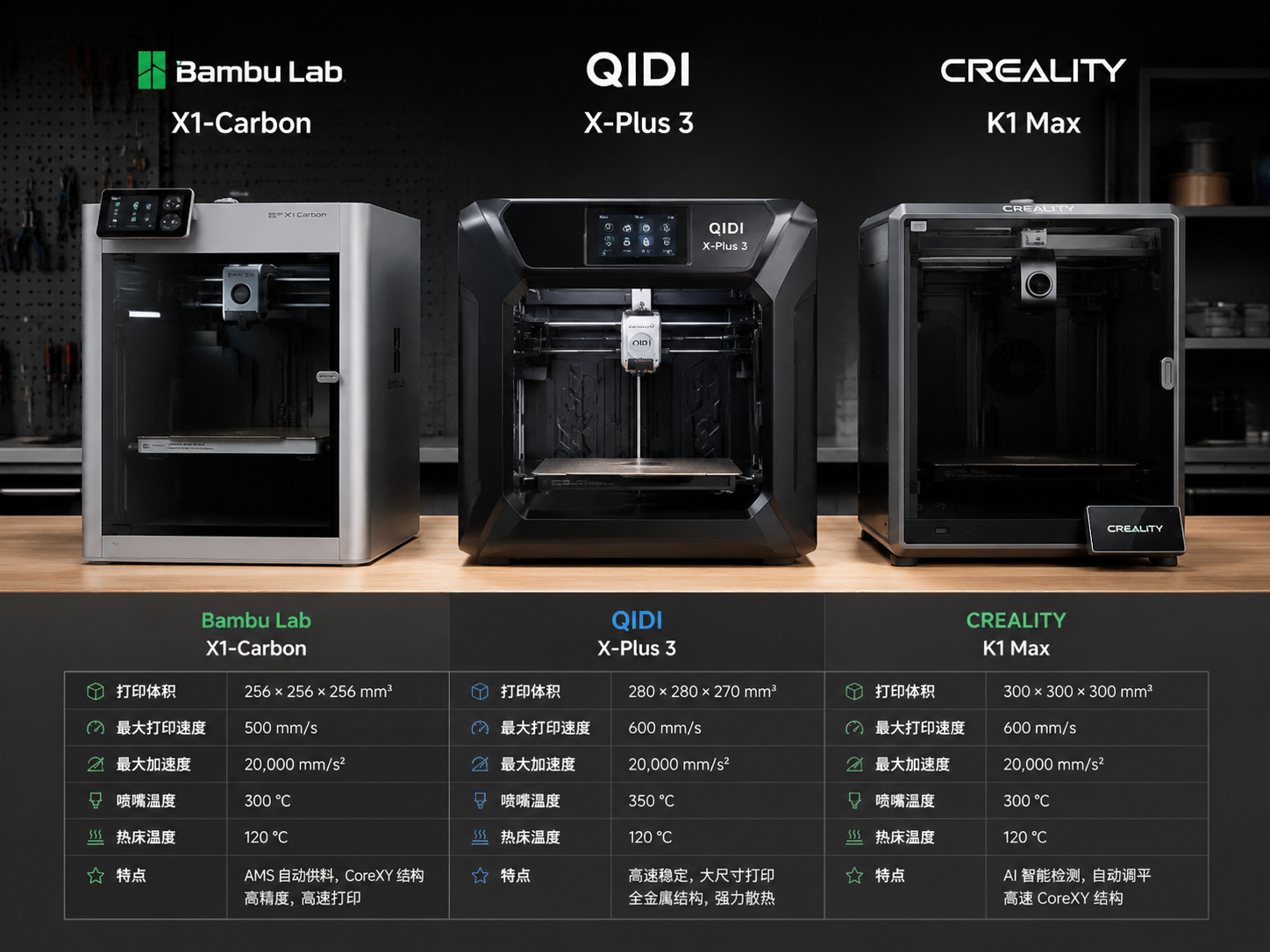
Bambu Lab X1E
The X1E is Bambu Lab’s enterprise-oriented version of the X1 Carbon, adding a heated chamber (active, up to 60°C), an Ethernet port with network isolation, and a hardened steel hotend rated to 320°C. The 60°C chamber is modest by engineering standards but sufficient for warp-free ABS and ASA printing — and it achieves this temperature consistently with active heating, not just bed heat recycling. The CoreXY motion system with vibration compensation produces surface finishes that rival printers costing three times as much. The material ecosystem — AMS for multi-material support, RFID-tagged spools, tuned profiles — reduces the operator skill requirement significantly. For a lab that needs to print functional ABS prototypes with minimal setup, the X1E is currently the strongest option in Tier 1. Build volume: 256×256×256 mm. Price: approximately $2,500.
Qidi Tech X-Max 3
The X-Max 3 has an unusual combination: a fully enclosed, actively heated chamber that reaches 65°C, a 350°C all-metal hotend (bi-metallic heat break, hardened steel nozzle standard), and a 120°C bed — all for under $1,000. This is the closest any budget printer comes to Tier 2 territory. The 325×325×315 mm build volume is generous for engineering parts. The main limitations: chamber temperature tops out at 65°C (insufficient for PC and filled nylons at full thermal performance), the heated chamber controller is not as precise as more expensive machines, and the open-source Klipper firmware, while flexible, requires more operator tuning than proprietary systems. With these caveats, the X-Max 3 is the best entry point for someone who wants to experiment with ABS, ASA, and unfilled nylon without a five-figure investment. Build volume: 325×325×315 mm. Price: approximately $900.
Creality K2 Plus
Creality’s entry into the enclosed engineering market partners the K2 Plus with a CFS (Creality Filament System) for multi-material printing. The hotend is rated to 350°C with a hardened steel nozzle, and the actively heated chamber reaches 60°C. The 350×350×350 mm build volume is the largest in Tier 1. The dual-gear direct-drive extruder handles flexible and filled materials without stripping. Where the K2 Plus falls short: the 60°C chamber limit restricts it to ABS/ASA reliably, and the bed adhesion system relies on a PEI-coated spring steel sheet that can delaminate at sustained high temperatures. For large-format ABS parts, it is a compelling value proposition. For anything requiring chamber temperatures above 60°C, look to Tier 2. Build volume: 350×350×350 mm. Price: approximately $1,500.
Tier 2: The Advanced Desktop Gap
Tier 2 is the most interesting segment of the market — and the one where most buyers make the wrong choice. These machines bridge the gap between prosumer and true high-temperature engineering printers. They add active chamber heating but typically plateau at 90-100°C, which enables PPS and carbon-fiber-filled nylons and polycarbonates but falls short of the 120°C minimum for semi-crystalline PAEK materials.
Intamsys Funmat Pro 410
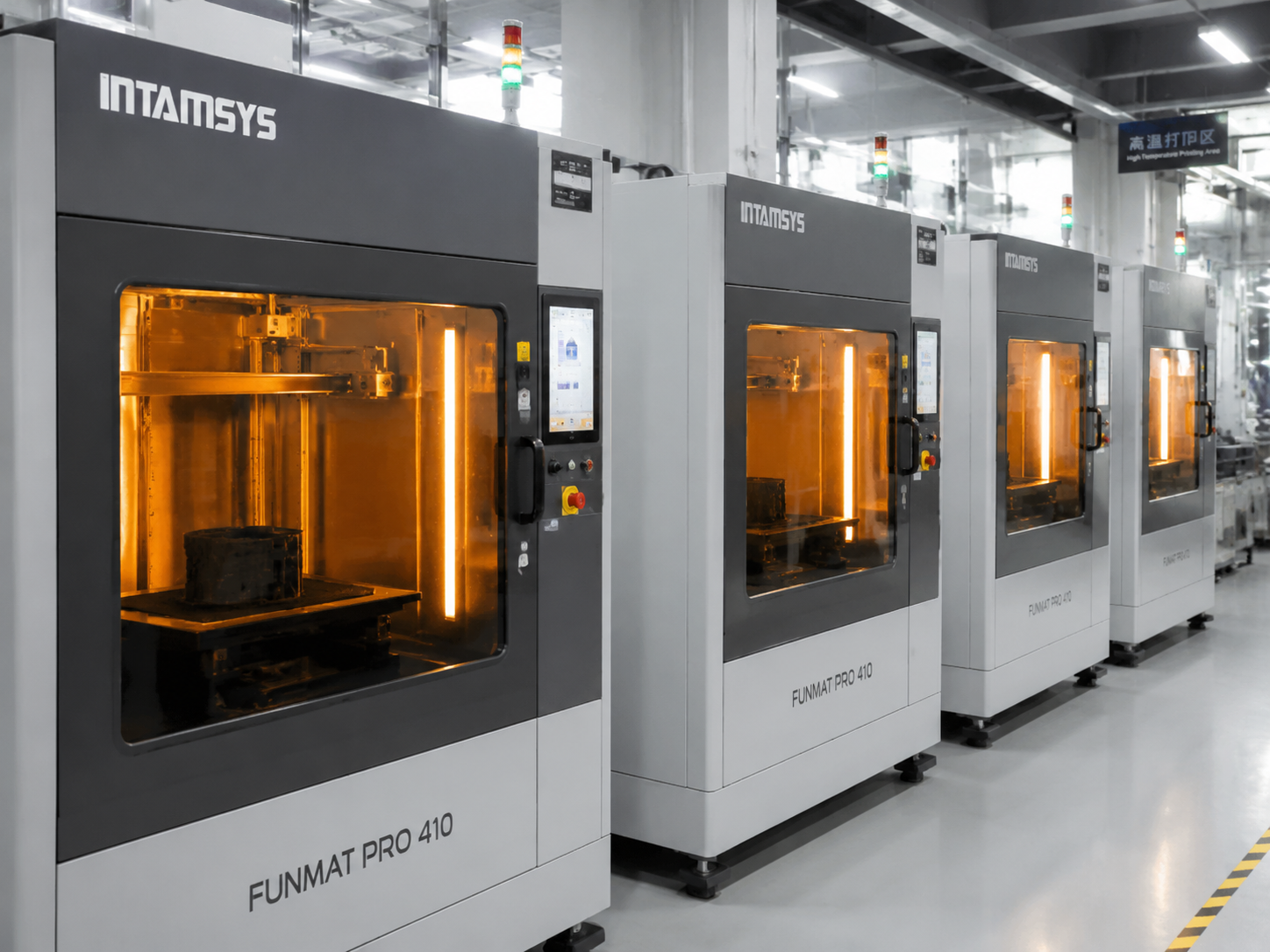
The Funmat Pro 410 is one of the few Tier 2 machines that crosses the line into functional high-temperature capability. The dual hotends reach 450°C, the actively heated chamber holds 90°C with a secondary goal of 120°C achievable in the latest hardware revision, and the heated bed reaches 160°C. This puts it on the boundary between Tier 2 and Tier 3. PEEK printing is possible with the 410 — Intamsys specifically markets it for PEEK — but requires careful process tuning, and the 90°C chamber produces parts that are semi-crystalline rather than fully crystallized. The open filament system accepts third-party spools, and the build volume of 305×305×406 mm is excellent for the class. For labs that need occasional PEEK capability without the full investment of a Tier 3 machine, the Funmat Pro 410 is the best bridge option. Build volume: 305×305×406 mm. Price: approximately $6,000-$8,000.
Raise3D Pro3 Plus
The Pro3 Plus is a dual-extruder workhorse with a 300°C hotend and an actively heated 60°C chamber. It cannot print PEEK or PEI — the hotend temperature alone disqualifies it — but for polycarbonate, carbon-fiber-filled nylon, and large ASA parts, the combination of the 300×300×605 mm build volume and the IDEX (independent dual extruder) system makes it uniquely capable. IDEX enables soluble support printing (for complex internal geometries), mirror-mode duplication (doubling throughput for production), and two-color printing. The RaiseCloud software ecosystem provides fleet management, remote monitoring, and video-based print failure detection. For production cells running filled nylons and PC, the Pro3 Plus’s vertical build volume is a genuine competitive advantage. Build volume: 300×300×605 mm. Price: approximately $7,000-$9,000.
Tier 3: High-Temperature Engineering — The PEEK Class
These are the machines that actually print PEEK and PEI. Every printer in this tier meets the three hard gates: hotend ≥ 400°C, actively heated chamber ≥ 120°C, heated bed ≥ 150°C. The differences between models come down to chamber temperature ceiling, build volume, software ecosystem, and material validation.
Intamsys Funmat HT Enhanced
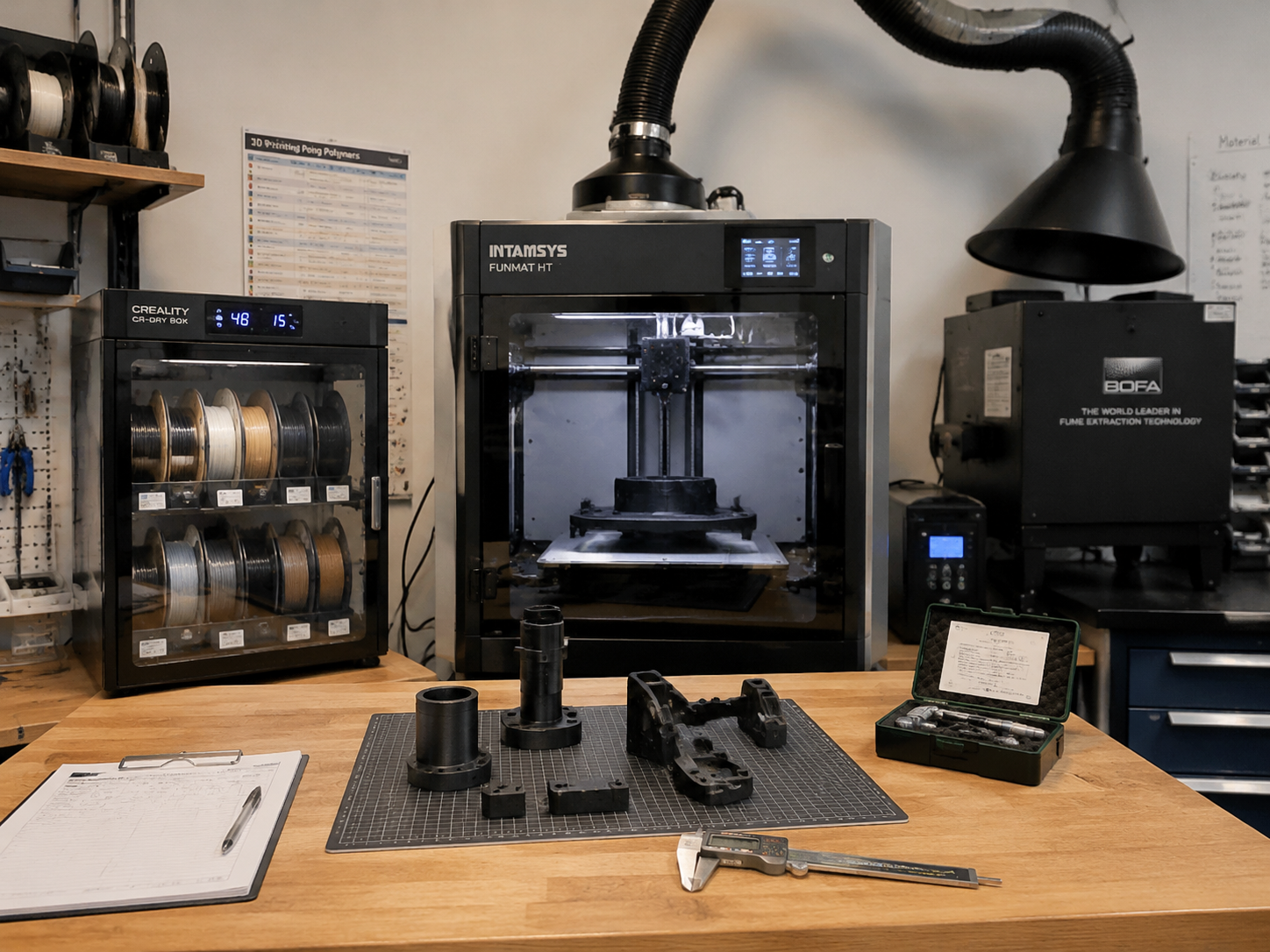
The Funmat HT Enhanced is the most accessible entry point into Tier 3. Hotend maximum is 450°C, actively heated chamber reaches 120°C (160°C in the latest revision with upgraded insulation), and the bed reaches 160°C. This is sufficient for unfilled PEEK, PEI 9085, and PPSU with proper process control. The 260×260×260 mm build volume is functional for most engineering components. The open filament system allows third-party material sourcing — a significant cost advantage over locked-down ecosystems. Where the HT falls short: 120°C chamber produces partially crystalline PEEK (80-85% of optimal properties), the single-extruder design limits support material options for complex geometries, and the firmware lacks the advanced thermal compensation algorithms of more expensive Tier 3 competitors. For labs and R&D groups entering the PEEK space, it is the lowest-cost option that genuinely works. Build volume: 260×260×260 mm. Price: approximately $10,000-$15,000.
3DGence Industry F421
The Polish-designed F421 is one of the few Tier 3 machines built from the ground up for production, not adapted from a desktop platform. Hotend reaches 480°C with a liquid-cooled thermal barrier. Actively heated chamber holds 170°C — hot enough for fully crystalline PEEK and PEKK. Bed reaches 200°C. These temperatures put the F421 at the top of Tier 3, bordering on Tier 4 capability. The dual-extruder system with soluble support enables complex internal geometries in PEEK — coolant channels, internal lattices, conformal cooling features. The 380×380×420 mm build volume is the largest in the class. 3DGence provides validated material profiles for PEEK, PEI 9085, PEI 1010, PPSU, and carbon-fiber-filled PEEK. The primary drawback: the price approaches Tier 4 territory, and the support infrastructure outside Europe is thinner than competitors. Build volume: 380×380×420 mm. Price: approximately $25,000-$35,000.
Roboze Argo 500
Roboze targets aerospace and defense with the Argo series, and the Argo 500 delivers on that positioning. Hotend reaches 450°C; chamber is actively heated to 180°C with a beltless direct-drive motion system that eliminates belt tension variability at high temperature. The heated bed reaches 180°C. The 500×500×500 mm build volume is the standout feature — large-format PEEK and PEI parts that would require sintering or machining are printable in a single operation. Roboze’s beltless system (helical rack-and-pinion on all axes) eliminates the primary failure mode of high-temperature belt-driven printers: belt creep and tension loss over time at sustained chamber heat. The trade-off is cost: the Argo 500 is priced for production environments, not prototyping labs. Supported materials include PEEK, carbon-fiber-filled PEEK, PEI 9085, and PEKK. Build volume: 500×500×500 mm. Price: approximately $80,000-$120,000.
Tier 4: Production-Grade Industrial Systems
Tier 4 machines are production assets, not lab equipment. They are purchased by manufacturing organizations that need certified traceability, validated material-process combinations, and 24/7 unattended operation. For most readers of this guide, Tier 4 represents aspirational knowledge — the ceiling of what FDM can achieve — rather than an immediate purchase decision.
Stratasys F370CR
The F370CR (“CR” stands for Carbon Fiber and Reinforced) is Stratasys’s workhorse for filled engineering materials. Hotend reaches 405°C; actively heated chamber holds 185°C; bed reaches 200°C. The 355×254×355 mm build volume is moderate by Tier 4 standards, but the F370CR compensates with Stratasys’s closed-loop material ecosystem: every spool is RFID-tagged, every material-profile combination is validated, and the soluble support (SR-35 for ABS, QSR for high-temp materials) produces surface finishes that eliminate post-processing for most applications. The GrabCAD Print software provides process simulation, nesting, and cost estimation per part. The primary limitation: the F370CR is locked to Stratasys materials, which cost 5-10× more than equivalent third-party filament. For organizations that prioritize process certification over material cost, this trade-off is acceptable. For everyone else, it is the principal reason to look elsewhere. Build volume: 355×254×355 mm. Price: approximately $70,000-$100,000.
MiniFactory Ultra
The Finnish-built MiniFactory Ultra is an outlier: a Tier 4 machine with a Tier 2 price point, thanks to MiniFactory’s focus on PEEK-only optimization rather than universal material compatibility. Hotend reaches 460°C; actively heated chamber holds 200°C; bed reaches 200°C. The build volume is a modest 180×180×180 mm — but within that volume, the Ultra produces PEEK and PEKK parts with crystallinity and mechanical properties that match injection-molded specimens, validated with published research data. The small build envelope means the chamber reaches temperature quickly (under 15 minutes) and maintains exceptionally uniform thermal distribution. MiniFactory provides a validated material database with process parameters for multiple PEEK and PEKK grades. For organizations whose primary need is small, high-performance PEEK parts — medical device components, oil and gas seals, aerospace bracketry — the Ultra’s focused capability and lower price point make it the most cost-effective Tier 4 entry. Build volume: 180×180×180 mm. Price: approximately $25,000-$35,000.
Decision Matrix: Which Printer for Which Application
| If You Need To… | Best Choice | Runner-Up | Budget Option |
|---|---|---|---|
| Print ABS/ASA prototypes, minimal setup | Bambu Lab X1E | Qidi X-Max 3 | Creality K2 Plus |
| Print carbon-fiber-filled nylon and PC | Raise3D Pro3 Plus | Intamsys Funmat Pro 410 | — |
| Print PEEK occasionally, constrained budget | Intamsys Funmat HT | Funmat Pro 410 (borderline) | — |
| Print full-size PEEK/PEI production parts | 3DGence F421 | Roboze Argo 500 | — |
| Small certified PEEK parts, ISO 13485 | MiniFactory Ultra | Stratasys F370CR | — |
| Large-format ABS for automotive tooling | Creality K2 Plus | Bambu Lab X1E | — |
| Multi-material soluble support, complex parts | Raise3D Pro3 Plus (IDEX) | 3DGence F421 | — |
Hidden Costs: What the Price Tag Does Not Tell You
Filament Cost: Open vs Closed Ecosystems
The printer purchase price is a fraction of the total cost of ownership over five years. A Stratasys F370CR at $85,000 using exclusively Stratasys materials will consume $150-$350 per kilogram of filament. A 3DGence F421 at $30,000 using third-party PEEK filament will consume $300-$600 per kilogram — but the cost difference between closed and open ecosystems over a year of production quickly eclipses the initial price difference. The table below assumes 250 kg of filament consumed per year, a realistic figure for a single machine in regular production.
| Printer | Ecosystem | Cost/kg | Annual Filament Cost | 5-Year Filament Cost |
|---|---|---|---|---|
| 3DGence F421 | Open | $400 | $100,000 | $500,000 |
| Stratasys F370CR | Closed | $250 (avg) | $62,500 | $312,500 |
| Intamsys Funmat HT | Open | $350 | $87,500 | $437,500 |
| MiniFactory Ultra | Open | $400 | $100,000 | $500,000 |
The takeaway: filament costs exceed the printer purchase price within 12-24 months of regular use. An open-filament ecosystem saves $50,000-$200,000 over five years relative to a closed ecosystem at similar material consumption. But closed ecosystems typically provide validated profiles, material certifications, and support — which may be worth more than the filament premium in regulated industries.
Infrastructure Requirements
Tier 3 and 4 printers draw 2-5 kW of electrical power at full heating. A 3DGence F421 running at 170°C chamber temperature consumes approximately 3 kW continuously — that is 72 kWh per day if operated 24/7, equivalent to running two residential air conditioners. The electrical infrastructure must support this load. Additionally, some high-temperature printers require water cooling for the hotend cold side. The Intamsys Funmat HT and 3DGence F421 both incorporate closed-loop liquid cooling circuits; the Stratasys F370CR uses air cooling. Factor in the cost of a chiller or connection to facility chilled water if a liquid-cooled machine is selected.
Ventilation is equally critical. PEEK, PEI, and PPS all release trace volatile organic compounds during extrusion — within occupational exposure limits at the temperatures reached, but requiring fume extraction to maintain air quality. Most Tier 3 and 4 machines include integrated HEPA and activated carbon filtration. Verify that the filtration system is rated for the specific materials you plan to print.
How to Choose: A Decision Framework
The correct printer is the one that meets your material requirements at the lowest total cost of ownership. Start with the material — not the printer.
Step 1: Define your material requirements. What polymers do you need to print? If the answer is ABS/ASA/polycarbonate/filled nylon, you are in Tier 1 or 2. If the answer includes PEEK, PEI, or PPSU, you are in Tier 3 minimum. There is no Tier 1 machine that prints PEEK. There is no workaround. The material requirement dictates the tier. For teams still validating whether polycarbonate is already enough, our PC filament guide helps define that cutoff more clearly.
Step 2: Determine build volume needs. Engineering parts — jigs, fixtures, brackets, housings — rarely require build volumes above 300×300×300 mm. The machines that offer 500 mm build cubes typically sacrifice chamber temperature uniformity for volume. Unless you have a specific large-format application, prioritize thermal performance over build volume.
Step 3: Calculate total cost of ownership. Add the printer price, estimated filament consumption over three years, maintenance and replacement parts (hotends, build plates, filters), electrical consumption, and any necessary facility modifications (ventilation, water cooling). The lowest-priced printer that meets your material requirement is not necessarily the cheapest over three years.
Step 4: Evaluate the support and material ecosystem. A printer from a manufacturer with no local distributor, no validated material profiles, and a six-month lead time on spare parts is a liability, not an asset. The cost of downtime in a production environment quickly exceeds the savings from choosing a less-supported machine. In engineering applications, printer reliability and support quality matter more than headline specifications.
Summary: The Best Printer for Engineering Materials in 2026
| Danh mục | Người chiến thắng | Why |
|---|---|---|
| Best Overall Tier 1 (Prosumer) | Bambu Lab X1E | Plug-and-play ABS/ASA, active chamber, excellent surface finish, strong ecosystem |
| Best Budget Value | Qidi Tech X-Max 3 | 350°C hotend + 65°C active chamber for under $1,000 is unmatched |
| Best Tier 2 Bridge to PEEK | Intamsys Funmat Pro 410 | 450°C hotend, 90-120°C chamber, functional PEEK capability at Tier 2 price |
| Best Tier 3 Entry (PEEK/PEI) | Intamsys Funmat HT Enhanced | Lowest-cost Tier 3 machine that genuinely prints PEEK, open filament system |
| Best Tier 3 Production | 3DGence Industry F421 | 170°C chamber + 480°C hotend + dual extrusion + largest build volume in class |
| Best for Small Certified PEEK Parts | MiniFactory Ultra | 200°C chamber, validated process data, injection-molding-equivalent crystallinity |
The engineering 3D printer market in 2026 has matured significantly. Five years ago, printing PEEK required a $150,000+ Stratasys machine and proprietary everything. Today, an Intamsys Funmat HT at $12,000 produces functional PEEK parts with an open filament system. The barrier to entry has fallen — but the physics has not changed. PEEK still requires 400°C at the nozzle and 120°C in the chamber. Buy the printer that meets those physics honestly, and you will produce engineering parts that do the job. Buy the printer that claims to meet them in marketing materials but not in thermal performance, and you will waste time and money chasing a solution that the machine was never designed to deliver.
Nylon Plastic provides engineering-grade 3D printing services in nylon, polycarbonate, and high-temperature thermoplastics. Need a part printed in PEEK or PEI without buying the printer? Contact us for a quote.
Câu hỏi thường gặp
What printer features matter most for engineering materials?
A stable enclosure, sufficient nozzle temperature, controlled bed temperature, reliable filament drying, abrasion-resistant hardware and consistent motion control matter more than headline speed alone.
Do all engineering polymers require a heated chamber?
No. Some materials print acceptably in a basic enclosure, while high-temperature or high-shrink materials benefit from an actively heated chamber.
Is a hardened nozzle enough for carbon-fiber materials?
A hardened nozzle is important, but feed gears, spool path, drying, chamber stability, bed adhesion and parameter tuning also affect reliability.